How do I remove a team member?
Published on: 04/11/2026
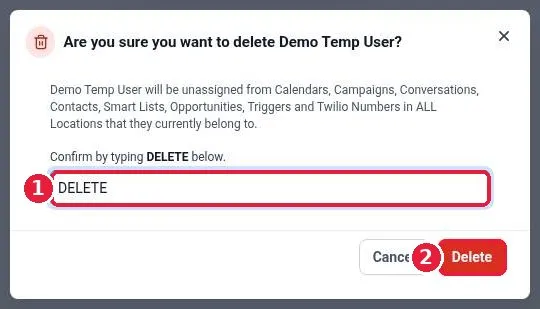
Remove a team member in Reachific: go to Settings, Users, click the trash icon on that user's row, type DELETE to confirm, and click Delete. The user loses access and is unassigned from calendars, conversations, contacts and opportunities.
remove userdelete userteam memberusershelp center